Do you open Design Space and get stuck? Maybe you don’t even KNOW WHERE TO START and your Cricut is just collecting dust.
It’s not your fault, there’s so much to learn it becomes overwhelming.
Good news! You just found the sanity saver you’ve been looking for
A guide full of EASY TO USE CHEAT SHEETS that will save you time. One that will put an end to the overwhelm and intimidation, and allow you to make the great things you're super excited about.
You can Conquer your Cricut and make great things.
For a limited time you can grab The Ultimate Guide to Using Your Cricut at a reduced price. (with Bonuses too!)
With this guide you’ll become a Cricut crafting pro in no time at all.
When I first bought my Cricut machine my husband was understandably upset. It was a lot of money to drop on a hobby and we were pretty broke.
I looked him straight in the eye and said this little machine will make me $2000 dollars in the next two months.
And you know what? It did.
But it took a lot of late nights and countless mistakes. I don’t even want to think about how much money in vinyl I wasted.
I don’t want you to go through that.
I want you to have the joy of making great things for yourself, your family, your friends and even to sell. Without the late nights and wasted vinyl.
That’s why I made Conquer your Cricut for you. It’s the ultimate guide to get you started and keep you going on your crafting journey.
Because let’s face it, when we’re in that crafting moment and we can’t remember what step is next, we waist a whole lotta time trying to find the right video tutorial.
For the digital download simply print the pages to the guide book on your home printer and insert the pages into a binder that you will keep by your Cricut.
Alternately you can take the pages to most office supply stores and they will spiral bind the book for you relatively cheap.
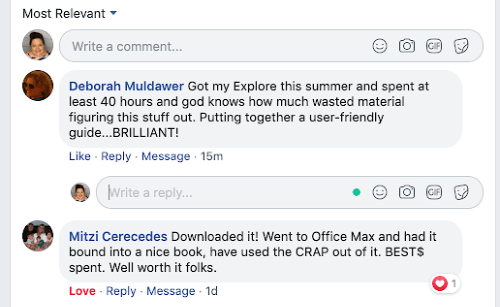
I used the guide today to figure out something I didn’t understand on a project. It’s so nice to have all of the information right there in front of me instead of having to spend so much time on YouTube trying to figure out the exact answer. Sometimes I wasted 10-15 minutes on a video that didn’t even answer my question! I’m so fortunate I got your Cricut Guide.
-Pam M.
WHO IS THE CRICUT GUIDE FOR?
Conquer Your Cricut -The Ultimate Guide is for anyone who owns a Cricut cutting machine and is feeling overwhelmed.
You’re wasting too much time figuring out how to do stuff.
You feel intimidated when you open up Design Space and you’re frustrated when you can’t figure out why it’s not doing what you want it to.
It feels like each project requires a different procedure, but you’re not sure which one.
You want to make great things, but it all seems so confusing.
You wish you had a guide that you could print out and keep by your side. A guide that’s right there when you need it, one that you can label, make notes in and that will help you make great things.
You own one of the following Cricut Cutting Machines